
By Saket Narnolia, Founder
AI Receptionist Call Escalation for Clinics
Build a dependable AI receptionist call escalation workflow that improves patient communication, protects staff time, and reduces missed calls.
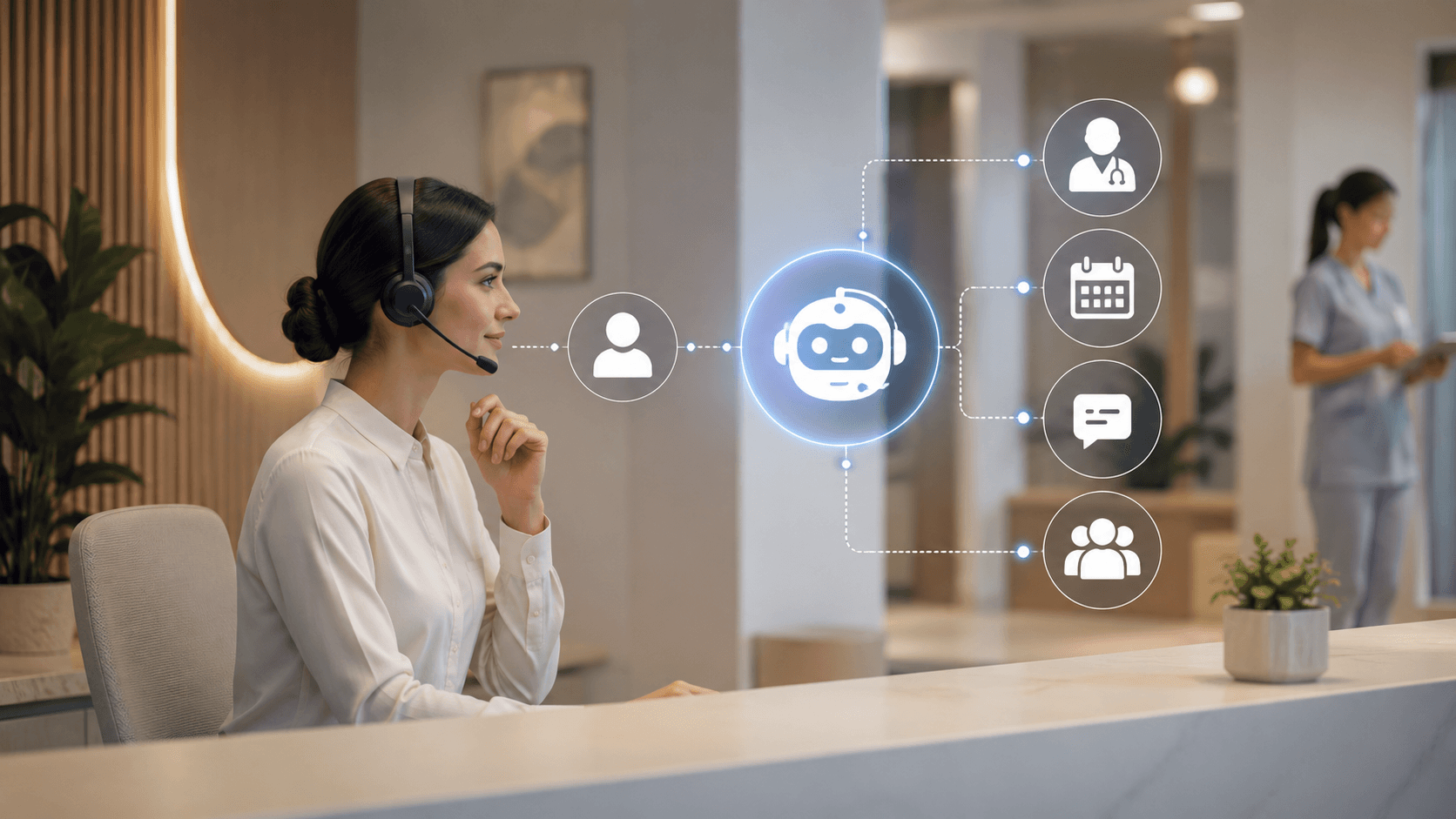
A reliable AI receptionist does much more than answer incoming calls. For local clinics, the real value comes from creating a structured call escalation workflow that ensures every caller reaches the right destination at the right time. Routine questions can be handled automatically, while urgent or complex situations are routed to qualified staff according to your clinic's policies. When combined with missed-call recovery and CRM follow-up automation, an AI receptionist can improve patient communication, reduce administrative workload, and help your team respond more consistently without replacing clinical judgment.
AI Receptionist for Local Clinics: Why Call Escalation Workflows Matter
Many clinics receive dozens or hundreds of calls every week. Some callers simply want to schedule an appointment, while others have billing questions, need prescription refill information, or are calling about symptoms that require prompt attention.
Treating every call the same creates unnecessary delays and inconsistent patient experiences. An AI receptionist becomes significantly more valuable when it follows clearly defined escalation rules instead of acting like a generic answering service.
A well-designed workflow helps your clinic:
- Respond consistently during busy periods.
- Reduce missed opportunities from unanswered calls.
- Route callers to the correct department.
- Collect useful information before transferring calls.
- Support staff instead of interrupting them unnecessarily.
- Improve after-hours communication while following clinic procedures.
The goal is not to automate every conversation. The goal is to automate predictable administrative work while ensuring that situations requiring human judgment are handled by people.
What Does a Reliable Clinic Call Escalation Workflow Look Like?
A dependable workflow starts with operational planning before any technology is configured.
Define Your Call Categories
Begin by identifying the most common reasons patients contact your clinic.
Typical categories include:
- Appointment scheduling
- Appointment cancellations or rescheduling
- Existing patient questions
- New patient inquiries
- Billing questions
- Insurance questions
- Prescription refill requests
- Medical records requests
- Administrative requests
- Urgent concerns that require escalation according to clinic policy
These categories become the foundation for routing decisions.
Create Priority Levels
Not every call deserves the same response time.
For example:
Low priority
- Office hours
- Directions
- General information
- Accepted insurance plans
Medium priority
- Appointment requests
- New patient consultations
- Billing questions
- Records requests
High priority
- Time-sensitive patient concerns identified by your clinic's escalation policy
- Calls requiring immediate staff review
Importantly, the AI receptionist should never make clinical decisions. Instead, it should recognize predefined triggers and follow your approved escalation process.
Establish Human Handoff Rules
One of the biggest mistakes clinics make is transferring every difficult conversation without context.
Instead, your AI receptionist should collect information first, such as:
- Patient name
- Callback number
- Reason for calling
- Preferred appointment time if applicable
- Relevant administrative details permitted by your workflow
Staff receive this information before taking over, reducing repetitive questioning and improving efficiency.
Step 1: Categorize the Calls Your Clinic Receives
Before implementing automation, spend a week reviewing incoming calls.
Ask:
- Which questions repeat every day?
- Which calls interrupt staff unnecessarily?
- Which conversations require clinical or managerial judgment?
- Which calls frequently go unanswered?
Repetitive Front-Desk Tasks
An AI receptionist often performs well when handling:
- Business hours
- Location information
- Accepted insurance information when approved
- Appointment availability inquiries
- Rescheduling requests
- New patient intake questions
- Basic office policies
These interactions follow predictable patterns.
High-Value Calls
Some calls deserve faster human attention because they directly affect patient experience or clinic growth.
Examples include:
- New patient consultations
- Referral inquiries
- Existing patients with urgent administrative needs
- Time-sensitive scheduling requests
These should receive higher routing priority.
Step 2: Decide Which Calls AI Handles and Which Calls Escalate
Clear boundaries make automation safer and more useful.
Tasks an AI Receptionist Can Handle
Depending on your systems and workflow, an AI receptionist may:
- Answer frequently asked questions.
- Capture caller information.
- Schedule or request appointments when integrated with approved scheduling tools.
- Confirm business hours.
- Route calls by department.
- Recover missed calls.
- Trigger CRM follow-up workflows.
Tasks That Should Escalate to Staff
Human involvement remains essential for:
- Clinical judgment.
- Complex patient concerns.
- Sensitive conversations.
- Complaints requiring discretion.
- Requests requiring provider approval.
- Situations defined by clinic policy for immediate staff review.
The AI should recognize these situations based on predefined rules rather than attempting to evaluate medical urgency independently.
Step 3: Build Escalation Rules for Common Clinic Scenarios
Once categories are defined, build practical routing rules.
During Business Hours
Example workflow:
- AI answers immediately.
- Identifies the reason for the call.
- Collects essential information.
- Determines the appropriate department.
- Transfers the call if staff are available.
- If unavailable, schedules a callback and creates a CRM task.
After Hours
After-hours workflows should be customized for each clinic.
A typical process may include:
- Inform callers of office hours.
- Offer appointment request capture.
- Record callback requests.
- Route qualifying urgent situations according to established clinic procedures.
- Provide approved messaging without offering medical advice.
When Calls Are Missed
Missed calls represent lost opportunities to help patients and grow the practice.
Instead of relying on voicemail alone, automation can:
- Call back automatically.
- Send confirmation messages where appropriate.
- Log interactions in the CRM.
- Create follow-up reminders.
- Notify front-desk staff.
This helps ensure fewer inquiries fall through the cracks.
Step 4: Connect AI Receptionist Escalation With CRM Follow-Up
Call handling becomes much more valuable when connected to your CRM.
Useful information to capture includes:
- Caller name
- Phone number
- Patient status
- Reason for calling
- Preferred callback time
- Assigned department
That information can automatically trigger:
- Callback reminders
- Task assignments
- Appointment follow-up
- Lead tracking for elective services
- Administrative workflows
This reduces manual data entry while helping staff maintain consistent communication.
HIPAA Considerations for Clinic Communication
Healthcare organizations should evaluate AI solutions carefully to ensure they fit their privacy and compliance requirements.
Workflow design should include:
- Clearly defined access controls.
- Appropriate handling of protected health information.
- Audit capabilities where required.
- Approved retention policies.
- Staff training on escalation procedures.
Technology should support your compliance program, not replace it. Clinics should work with legal and compliance advisors to determine how AI tools fit their specific obligations.
Common Concerns Clinics Have About AI Receptionists
Will Patients Dislike Talking to AI?
Patients generally value quick responses and clear next steps. A conversational AI that introduces itself, answers routine questions, and smoothly transfers callers when needed often provides a better experience than long hold times.
Can AI Handle Sensitive Clinic Communication?
AI should follow predefined workflows rather than exercising clinical judgment. Sensitive situations should always escalate according to clinic policy.
Is Implementation Difficult?
Implementation complexity depends on how well workflows are planned.
The technology is only one part of the project. Success comes from documenting call categories, routing rules, escalation paths, staff responsibilities, and CRM integrations before deployment.
Will an AI Receptionist Replace My Front Desk Staff?
For most clinics, the answer is no.
Instead, AI reduces repetitive administrative work so staff can spend more time helping patients, solving complex issues, and delivering a more personal experience.
Practical Checklist Before Launching
Before enabling your AI receptionist, confirm that you have:
- Defined all common call categories.
- Documented escalation rules.
- Identified calls requiring human review.
- Created after-hours workflows.
- Established missed-call recovery procedures.
- Connected CRM follow-up automation.
- Tested transfers with each department.
- Reviewed privacy and compliance requirements.
- Trained staff on the new workflow.
- Scheduled periodic workflow reviews.
How MyJarvis Helps Clinics Build a Reliable Call Workflow
Rather than offering a one-size-fits-all answering solution, MyJarvis helps clinics design practical AI workflows that match real operational needs.
Capabilities include:
- AI Voice Employees
- AI receptionists
- Missed-call recovery
- CRM follow-up automation
- Custom AI automation
- AI-powered communication workflows
Instead of simply answering phones, the objective is to ensure every appropriate caller reaches the right destination while reducing unnecessary administrative workload.
If you are exploring AI voice solutions, learn more about the AI Voice Employee offering.
Calculate the Cost of Missed Calls Before Building Automation
Many clinics underestimate the operational impact of missed calls.
Reviewing call logs and estimating follow-up opportunities helps prioritize where automation will deliver the greatest value.
You can begin by using the Missed Call Calculator to understand where opportunities may be slipping away.
Frequently Asked Questions
Can an AI receptionist handle urgent patient calls for a local clinic?
An AI receptionist should follow predefined escalation rules created by the clinic. It should recognize situations identified in those rules and route them appropriately rather than attempting to replace clinical judgment or provide medical advice.
How should a clinic design an AI receptionist escalation workflow?
Start by mapping common call categories, assigning priority levels, defining routing rules, documenting when human intervention is required, and connecting follow-up actions through your CRM.
Will an AI receptionist replace my front desk staff?
Typically, no. Most clinics use AI to reduce repetitive administrative work while allowing staff to focus on higher-value patient interactions and situations requiring empathy, judgment, or clinical coordination.
How can clinics recover missed calls with AI?
Automation can capture caller details, create CRM records, trigger callback tasks, notify staff, and support follow-up workflows so fewer inquiries are lost.
Book a MyJarvis Strategy Call
Every clinic has different staffing models, patient expectations, and communication requirements. The most effective AI receptionist is one designed around those realities rather than a generic script.
If you're evaluating AI receptionists, schedule a MyJarvis strategy call to review your current call workflow, identify missed-call recovery opportunities, and build an escalation process that supports both your staff and your patients.
For additional answers about implementation, visit the FAQ page.
Want this answering leads while your team is busy?
We can map your missed-call, booking, and follow-up workflow into a practical AI voice employee plan.
Get the automation checklist
A simple checklist for spotting the first workflow worth automating.