
By Saket Narnolia, Founder
AI Voice Employee for Home Service Businesses
How home service businesses use an AI voice employee to pre‑qualify calls and send only the good jobs to the owner.
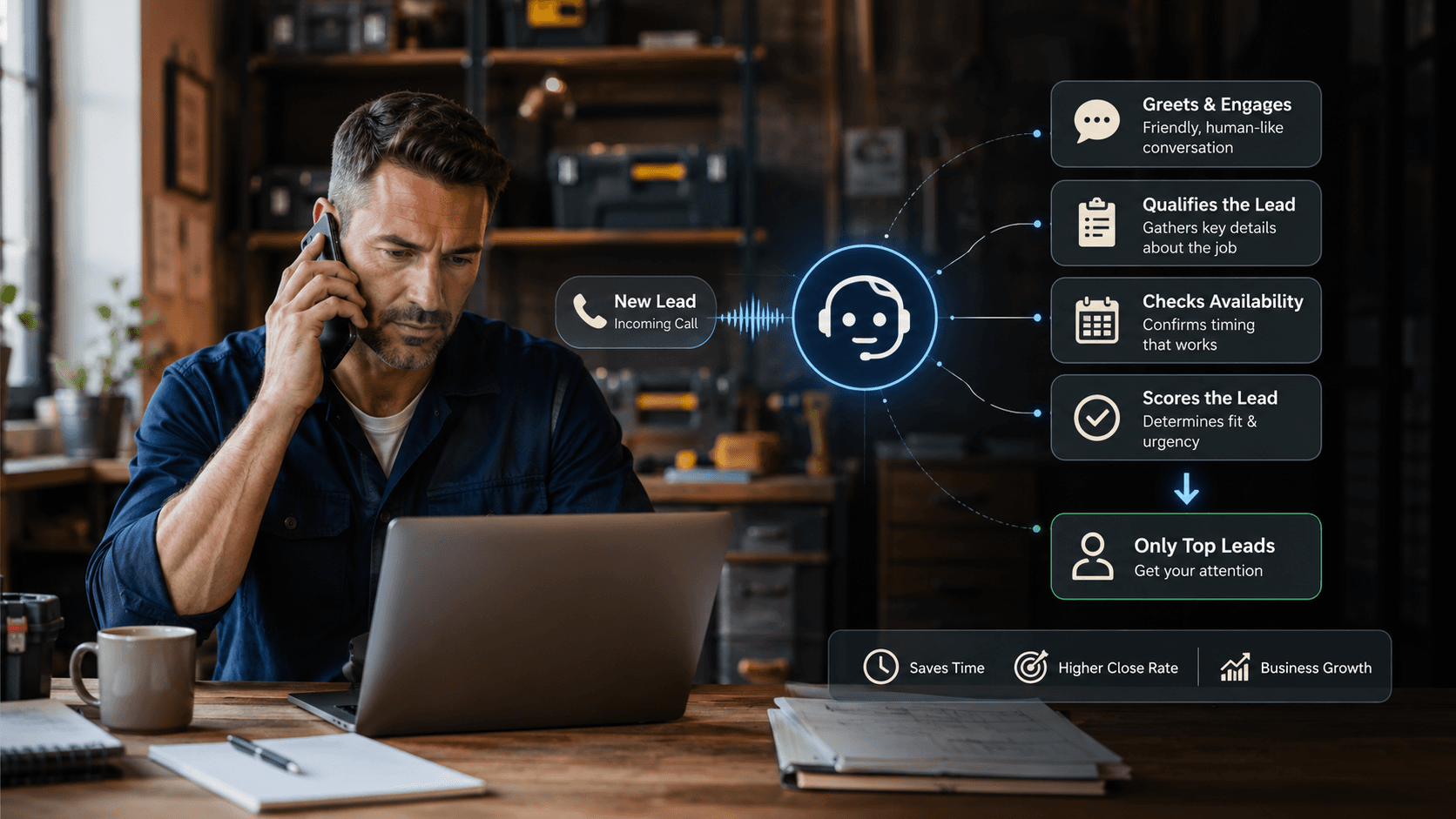
Home service owners lose hours every week to calls that never turn into revenue: out‑of‑area jobs, tiny jobs you don’t take, price shoppers, renters you can’t serve, or callers who have no intention of booking. An AI voice employee lets you collect the right details on every call, verify fit automatically, and send you only the qualified leads—while filtering out the rest. This article shows exactly how qualification criteria work, what the AI actually does on a call, and how to map your own rules before booking a MyJarvis strategy call.
Why Home Service Owners Need Lead Qualification Before They Pick Up the Phone
The cost of constant interruptions
If you’re the owner or operator, nearly every phone call interrupts revenue‑producing work: job supervision, estimates, team coordination, or dispatch. Even a short “wrong fit” call breaks focus and adds stress when the schedule is already tight.
Interruptions usually come from:
- Callers outside your service area
- Jobs below your minimum job size
- People who need a service you don’t provide
- Price shoppers looking for the lowest bid
- Urgent calls you can’t realistically handle
An AI voice employee reduces noise by pre‑screening these callers before they reach you.
Common unqualified callers that drain your day
Home service businesses typically deal with the same buckets of wasted time:
- Requests for handyman‑level work when you only take larger or specialized jobs
- Renters asking for services that require property‑owner approval
- Callers needing same‑day availability when your schedule is booked
- Areas outside your travel radius
- Calls meant for a different trade entirely
Automated pre‑qualification means your phone only rings when the job is worth your time.
What an AI Voice Employee Actually Does on a Live Call
Conversational data collection
A MyJarvis AI voice employee answers the phone instantly, speaks naturally, and collects the exact information you’d ask for if you were personally qualifying the caller.
Typical questions include:
- “What type of service are you looking for?”
- “Where is the property located?”
- “What timeline are you hoping for?”
- “Is this a residential or commercial job?”
- “Can you describe the issue or project?”
- “Is there a budget you’re trying to stay within?”
The system turns answers into structured data so routing and qualification are consistent.
Verifying service area, job type, timing, and budget
Once the AI collects details, it checks them against your preset rules. Examples:
- If the ZIP code falls outside your radius, the AI politely declines or offers alternatives.
- If the job type matches your “do not serve” list, the AI stops the booking flow.
- If the caller’s timeline doesn’t match availability, the AI tells them what openings you do have.
- If the budget is below your minimum (example: you only take jobs over a certain threshold), the AI filters the call.
These rules are entirely configurable.
Escalation and handoff rules
If the call meets your criteria, the AI:
- Creates a CRM record
- Tags the job type and urgency
- Sends the lead to your preferred channel (SMS, email, CRM task)
- Can transfer the call live or schedule a callback
If the caller is not a fit, the AI ends the call professionally without interrupting your day.
Real Qualification Criteria Home Service Businesses Use
Service radius and travel limits
Travel time kills profitability. Owners usually specify:
- Maximum ZIP codes
- Maximum radius (example: 20–30 minutes)
- Excluded regions due to traffic or low-margin neighborhoods
The AI silently checks location before routing the call.
Minimum job size or budget thresholds
Nearly every trade has specific thresholds:
- Electricians avoiding small single‑outlet jobs
- HVAC companies ignoring service calls below a certain minimum
- Landscapers preferring full projects over one-off tasks
The AI asks one clarifying question and compares it to your rules.
Supported job types vs. jobs you reject
Owners normally maintain a list of acceptable and unacceptable job types. Examples:
- Roof repair yes; full roof replacement no (or the reverse)
- Drain clearing yes; sewer line replacement no
- Fence repair yes; full deck builds no
The AI routes accordingly.
A Sample Workflow: From Incoming Call to Qualified Lead
Step-by-step call flow example
Here’s a simplified workflow showing how MyJarvis handles a new call:
- Call comes in. AI answers instantly.
- AI collects job details. Job type, property address, timeline, budget.
- AI checks location. If outside the radius, call ends professionally.
- AI checks job type. If it’s on your “no” list, the AI ends or redirects.
- AI checks minimums. If too small, the AI declines.
- If qualified:
- Creates CRM record
- Tags job type, urgency, and source
- Sends summary to you
- Optionally books a time or transfers the caller live
How MyJarvis routes outcomes
MyJarvis integrates with your systems so the right action happens automatically. For example:
- Qualified leads are pushed into your CRM.
- Urgent jobs get instant owner alerts.
- Non-urgent jobs create follow-up tasks.
- Disqualified leads are logged but not forwarded.
Try the missed-call impact using the Missed Call Calculator at the MyJarvis tool.
Handling Edge Cases: Emergencies, After-Hours, and Time-Wasters
Urgent call protocols
If the caller describes symptoms that qualify as “urgent,” the AI pushes them to the front of the line. What counts as urgent is up to you.
After-hours lead filtering
The AI can:
- Offer next-day time slots
- Capture details and send a summary
- Escalate true emergencies based on your criteria
Detecting low-intent or mismatched requests
Red flags include:
- “I just need a ballpark price.”
- “Calling about a service you don’t offer.”
- “Refusal to give an address.”
The AI politely exits these interactions.
How MyJarvis Integrates With Your CRM and Dispatch Board
Automatic record creation and tagging
Each qualified lead is sent to your CRM with the data you specify:
- Contact info
- Job type
- Notes from the conversation
- Urgency level
- Service location
Status updates and task generation
Where supported, MyJarvis can:
- Create dispatch board tasks
- Tag “new estimate,” “urgent,” or “job ready to schedule”
- Assign follow-ups to team members
See more on the AI setup in the AI Voice Employee overview.
When AI Sends Leads to You—and When It Doesn’t
Qualified vs. disqualified routing scenarios
The AI sends leads to you only if:
- They’re inside your service area
- Job type matches your list
- Budget/timeline meets your rules
- The project is worth your time
If not, the caller gets a professional decline.
Custom owner notification rules
You can choose:
- Immediate SMS for urgent jobs
- Daily digest summaries
- Only qualified calls to ring through
- After-hours routing rules
Next Steps: Map Your Qualification Criteria
Simple prep worksheet
Before your strategy call, jot down:
- ZIP codes you serve
- Job types you want and don’t want
- Minimum job size or typical project ranges
- How quickly you want to be notified of urgent calls
- When you want calls to ring through vs. be screened
Then book a call to configure your logic.
Frequently Asked Questions
How does an AI voice employee know which leads to qualify or reject? It uses your rules: job type lists, budget thresholds, service area, urgency categories, and timing preferences.
Can the AI handle different job types and estimate ranges? Yes. You define categories. The AI gathers details, matches them, and escalates anything unclear.
What if a caller needs something outside my service area? The AI checks location automatically and will decline, reroute, or offer a callback based on your rules.
Does this replace my office staff? No. It reduces interruptions and handles repetitive qualification so your team can focus on higher-value work.
Book a Strategy Call
If you want to qualify more leads while taking fewer interruptions, book a MyJarvis strategy call at the consultation page.
Want this answering leads while your team is busy?
We can map your missed-call, booking, and follow-up workflow into a practical AI voice employee plan.
Get the automation checklist
A simple checklist for spotting the first workflow worth automating.