
By Saket Narnolia, Founder
Missed-Call Recovery Automation for Clinics
How local clinics can recover after‑hours enquiries and revenue with automated missed‑call follow‑up.
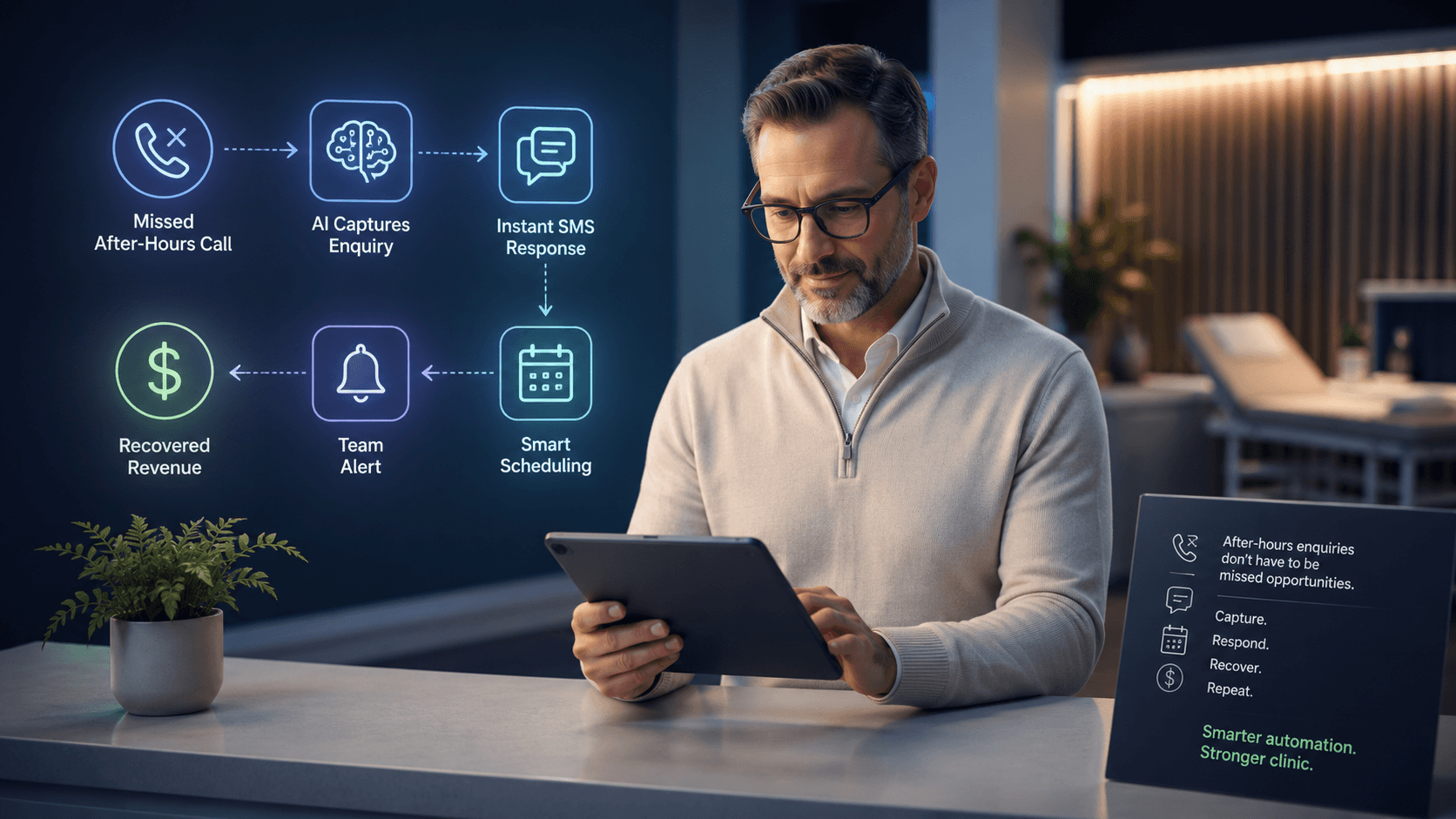
Local medical, dental, physio, and allied‑health clinics lose meaningful revenue every time an after‑hours caller goes to voicemail and never hears back. Missed‑call recovery automation solves this by immediately re‑engaging callers, capturing intent, and guiding them to book. This article explains how the process works, where it fits in clinic operations, and when a system like MyJarvis offers a measurable ROI.
Why Local Clinics Lose Revenue From After‑Hours Calls
Typical after-hours enquiry patterns
Across most local clinics, new‑patient calls cluster around three windows: the early morning rush, the lunch-hour gap, and after 5 p.m. When front-desk teams are offline or overloaded, callers hit voicemail. Many callers assume they'll need to try someone else—especially for medical, dental, or physio issues where availability matters.
A common pattern clinic operators describe:
- Caller phones after business hours.
- Voicemail is full or generic.
- Caller searches again and contacts the next available clinic.
- Your clinic never even knows what the enquiry was worth.
How missed calls impact new‑patient acquisition
Most clinics track bookings, not abandoned enquiries. That means the real cost of missed calls stays invisible. If even a small percentage of inquiries are new‑patient, after‑hours missed calls can represent lost revenue.
Example (illustrative only):
- 20 missed after-hours calls per week.
- If 10% were new‑patient enquiries and 20% could have been recovered with immediate follow‑up, your clinic could have recovered several new bookings weekly.
Operational constraints that lead to unreturned calls
Even strong front‑desk teams struggle to return every voicemail left after hours. Common limits include:
- Limited staff time before morning appointments begin.
- No caller ID or incomplete voicemail details.
- High variability in call volume, making systematic follow‑up difficult.
- Difficulty separating urgent vs. non‑urgent calls without talking to the caller.
Missed-call recovery automation fills this operational gap by contacting callers for you, immediately.
How Missed‑Call Recovery Automation Works
Trigger: detecting a missed call
When your clinic’s line receives a call outside business hours (or during overflow periods), a MyJarvis workflow is triggered. The system picks up metadata such as:
- Caller number
- Timestamp
- Whether voicemail was left
- Relevant clinic rules (urgent vs. non‑urgent categories)
Immediate automated outreach (voice, SMS, email)
Within seconds, MyJarvis sends an automated follow‑up. Clinics typically choose one of these flows:
- An AI voice employee returns the call.
- A personalised SMS asks what the caller needed.
- Email follow‑up for callers who prefer it.
The key is speed-to-contact. Most clinics find that returning a missed call within the first five minutes dramatically increases the chance of conversion.
Collecting caller intent and booking requests
During the outreach, the AI captures essential details, such as:
- Reason for the call
- Preferred appointment times
- Insurance or payment questions
- Whether the enquiry sounds urgent
This gives clinics clear, structured data rather than vague voicemail recordings.
Passing confirmed data to the clinic
Once the caller’s information is captured, MyJarvis can:
- Push booking requests into your scheduling system
- Notify the front‑desk team with a structured summary
- Trigger next-step workflows based on clinic rules
Automation handles the initial re‑engagement. Staff maintain full control over scheduling, clinical decisions, and escalation.
Example Clinic Workflows Using MyJarvis
Medical clinic follow-up workflow
- Missed after-hours call triggers MyJarvis.
- AI voice employee calls back: “We noticed you tried to reach us. How can we help you today?”
- Caller explains the reason. Example categories: medication refill, new‑patient appointment, non‑urgent symptom enquiry.
- MyJarvis captures details, sends them to the clinic.
- Staff confirm next steps the next morning.
This eliminates the need to manually scan, interpret, and return after-hours voicemails.
Dental new‑patient enquiry workflow
- Missed call detected after 6 p.m.
- SMS sent instantly: “Thanks for reaching out. Are you looking to book an appointment?”
- Caller replies with pain level or appointment type.
- MyJarvis routes: emergency dental enquiries flagged separately; routine cleanings routed to the front‑desk for next-day scheduling.
- If available, MyJarvis offers open appointment windows.
Dental clinics often find this workflow captures high‑intent new‑patient leads.
Physio/Allied-health appointment triage workflow
- Caller misses the clinic after hours.
- System initiates a call or SMS.
- AI captures injury type, severity, and preferred appointment days.
- Details forwarded to the physio team for matching with available slots.
- High‑priority cases are flagged for morning follow-up.
This avoids the long email threads often needed to gather the same intake information.
Follow-up rules for urgent vs non-urgent enquiries
Clinics often set rules such as:
- If caller indicates severe symptoms, send “Call emergency services if appropriate” disclaimer and forward the message to on-call staff.
- All administrative requests routed to front-desk.
- Non-urgent enquiries booked into next available slots.
The goal is appropriate triage—not automated clinical decisions.
What Makes a Recovery Workflow Successful
Speed-to-contact requirements
The closer the follow-up is to the original missed call, the higher the likelihood of conversion. Automation ensures this happens reliably.
Clear call-to-action paths
Strong recovery flows offer simple next steps:
- “Would you like us to hold a spot tomorrow at 10 a.m.?”
- “Can you tell me the reason for your visit so we can match you with the right practitioner?”
Aligning automation with clinic scheduling rules
Each clinic has different constraints:
- New-patient slots
- Emergency slots
- Practitioner-specific availability
MyJarvis workflows can enforce those rules so callers only receive viable booking options.
Objections and Operational Considerations
Will automation feel impersonal?
Most callers care more about getting a prompt response than who delivers it. Clinics often find that well-designed scripts feel natural and helpful. You can customise tone, phrasing, and next-step instructions to suit your clinic.
Where automation should and should not be used
Appropriate uses:
- Appointment requests
- Basic intake questions
- Routine enquiries
- Call-back scheduling
Avoid automating:
- Clinical assessments
- Diagnostic guidance
- Anything requiring practitioner judgment
Staff workload changes and benefits
Automation removes repetitive follow-up tasks, giving staff more time for patient interactions. It does not replace staff—it ensures their time is spent on high-value work.
How to Estimate Your Potential ROI
Using the missed-call calculator
You can use the MyJarvis missed‑call calculator to estimate the real financial impact of your clinic’s after-hours calls. Use the tool here: Missed‑Call Calculator.
Example inputs and outputs (illustrative)
Example assumptions (illustrative only):
- 40 missed calls per week
- 20% new‑patient rate
- Average booking value of $150
If automation recovers even a fraction of those calls, the ROI becomes clear. The calculator helps you quantify this based on your actual numbers.
Implementation Path With MyJarvis
Onboarding and workflow mapping
MyJarvis works with you to document your clinic’s call patterns and intake rules. The goal: mirror your real‑world processes.
System integration options
Workflows can integrate with scheduling systems, CRM tools, or your existing intake forms.
Testing and optimization
Clinics typically start with one workflow—after-hours callbacks—and expand as they see results.
For more on AI voice capabilities, see: AI Voice Employee.
FAQ
How does missed-call recovery automation work for clinics?
When a call is missed, MyJarvis immediately follows up by voice or SMS, collects the caller’s intent, and forwards structured information so your team can book appropriately.
Can automation handle sensitive patient enquiries?
Automation can gather basic administrative and intake information, but it should not be used for clinical decisions. Clinics define rules for what is appropriate.
Does this replace front‑desk staff?
No. It reduces repetitive follow-up so staff can focus on patient care.
What is the ROI for a typical clinic?
Use the calculator to model your own numbers: Missed‑Call Calculator.
For general questions, see the clinic automation FAQ.
Book a Strategy Call
If after-hours missed calls are costing your clinic bookings, MyJarvis can build a recovery workflow tailored to your operations. Book a consultation to evaluate your clinic’s potential ROI and see a live demo.
Want this answering leads while your team is busy?
We can map your missed-call, booking, and follow-up workflow into a practical AI voice employee plan.
Get the automation checklist
A simple checklist for spotting the first workflow worth automating.